Essential
For one resident and a small smart home.
¥9,800/mo
Support by email, business days.
- 1 tactile dashboard profile
- Voice commands with confirmation cues
- Remote device list review
Tactile-first smart home control for older adults with vision loss
braillinterfa.quest is a subscription service in Japan for visually impaired seniors. We install customizable tactile interfaces and voice-integrated controls so lighting, climate, and safety routines are easier to manage independently.
Typical in-home onboarding takes 7–14 days after assessment, depending on device compatibility.
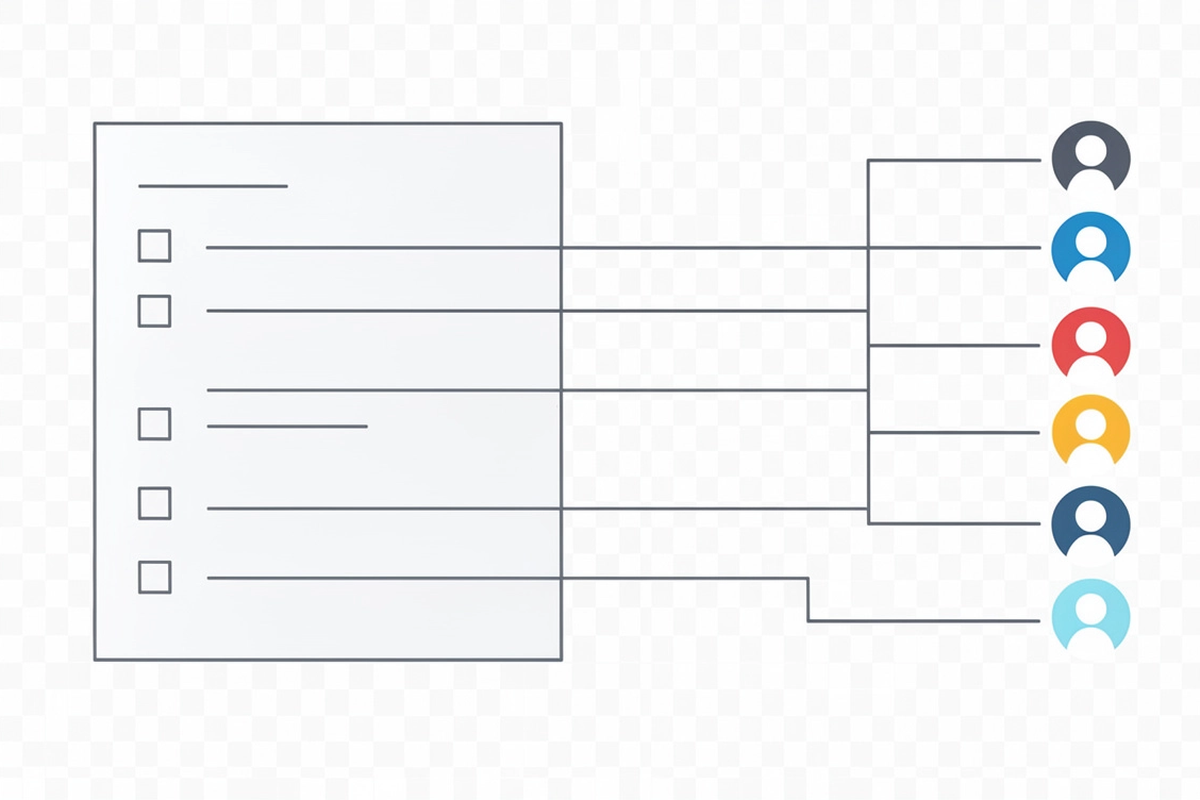
Bring your device list
Lights, AC, intercom, emergency buttons, and sensors.
Choose tactile layouts
Room-by-room panels and routines with haptic feedback.
Install and support
Onboarding, tuning, and ongoing care on a monthly plan.
Interface you can feel, trust, and learn quickly
Our subscription service pairs tactile dashboards with Braille labels, raised icons, and haptic confirmations so daily routines stay consistent even when screens and tiny buttons don’t.
Designed for elderly hands
Large targets, clear spacing, and consistent layouts help reduce mis-taps and support confident use without relying on visual cues.
Choose a layout that matches your home routine: lighting, climate, doors, emergency call, and scene buttons. We keep the same positions across updates so muscle memory builds.
Each control gets a Braille label aligned with voice prompts. We use short, consistent terms so spoken guidance and tactile reading reinforce each other.
Distinct shapes and edge cues reduce confusion between similar functions. Icons are standardized across rooms for faster learning.
Every action returns a clear tactile response: a short pulse for success, a double pulse for “needs attention,” and a longer pattern for safety-critical actions. Voice feedback can mirror the same statuses.
Want a device-by-device fit check? Share your current smart home devices, and we’ll suggest label sets and tactile layouts that match.
Send your device listProcess
We keep the setup simple and predictable. You’ll know what we’re installing, how it works with your home, and what support continues after day one.
We review your routines and mobility needs, then map what should be tactile, what should be voice, and what should stay as a simple physical control.
We confirm what you already have, what we can integrate, and which tactile dashboard layouts make the most sense for daily living.
We install the tactile dashboard, set up voice integration, and test the full chain from command to device response. Alerts are verified with clear haptics and optional audio.
You’ll get: a labeled layout guide, a short “daily actions” sheet, and a support contact path.
We practice the core routines with the user and any caregivers, then keep improving the setup as needs change. Updates focus on consistency, not novelty.
Compatibility, clearly stated
Because accessibility depends on the exact devices in the home, we confirm compatibility from your device model list before we propose a tactile dashboard layout.
Fastest path: paste your device list (brand + model) into our assessment request. Photos of device labels are also fine.
We want you to have predictable results. These items often require extra validation or may not be supported depending on firmware and local network setup.
If you share a device list, we’ll reply with a clear supported / needs-check breakdown and any recommended alternatives before you subscribe.
Pricing
Choose the support level you need today. You can upgrade any time as a home’s device list grows.
For one resident and a small smart home.
¥9,800/mo
Support by email, business days.
Best for multi-room routines and caregivers.
¥16,800/mo
Priority support, email + phone.
We confirm compatibility before onboarding.
For care teams and frequent changes.
¥29,800/mo
Extended support and training.
Not sure what you need? Share your device list and routines. We’ll recommend a tier and the minimum hardware.
Request a quoteFAQ
Clear expectations on voice performance, supported regions in Japan, support options, and privacy.
We configure a short, consistent command set for daily routines (lights, climate, intercom-style calls, safety checks). During setup we validate recognition with the resident’s natural speaking pace, preferred language settings, and any hearing aids or speakerphones used in the home.
If voice is not reliable in a specific room, the tactile dashboard remains fully usable as the primary control.
We test common noise scenarios during the assessment. When needed, we adjust microphone placement, enable wake-word confirmation, and assign critical actions (door unlock, stove safety routines) to dual-confirmation using tactile input plus voice.
We provide remote onboarding and ongoing support across Japan. For on-site visits (initial install, advanced sensor placement, or multi-room retrofits), availability depends on technician coverage and building access requirements. Request an assessment and we’ll confirm options for your prefecture.
Often, yes. We start by collecting a device list and checking compatibility for lighting, climate, locks, emergency alerts, and hub ecosystems. If a device can’t be integrated safely, we’ll recommend alternatives that preserve tactile-first access and predictable feedback.
You can share your device list via the assessment request form.
Yes, with resident consent. We can set up caregiver-friendly views (status checks, allowed routines) while keeping sensitive controls restricted. Access levels are designed to support independence first, not replace it.
We minimize data collection and use it only to deliver and support the service. Where voice features are enabled, we configure settings to avoid storing audio by default unless it is required for a specific support workflow and explicitly approved.
Details are documented in our Privacy Policy, including what’s optional, retention periods, and how to request deletion.
Support includes troubleshooting, routine updates, and tactile layout adjustments as needs change (new appliances, mobility changes, different room setup). For hardware issues, we guide remote checks first, then arrange repair or replacement options depending on the plan.
For plan terms, see Terms of Service and Cancellation & Refund Policy.
Didn’t find your question? Send your device list and home details, and we’ll respond with a practical setup plan.
Assessment requests Device list intake
Tell us about the home setup and the devices you want to control. We’ll review your list and follow up with recommended tactile dashboard layouts and voice-integrated options for your residence in Japan.
We typically reply within 2 business days. For urgent accessibility concerns, call during local business hours.
Short, practical articles on tactile dashboards, voice control routines, and ongoing support for independent living.
How to choose tactile patterns, spacing, and materials that stay readable over time, plus tips for labeling rooms, scenes, and alerts without clutter.
A step-by-step approach to reliable voice phrases, confirmation cues, and tactile shortcuts for lighting, HVAC, doors, and emergency routines.
What a good plan includes: on-site setup options, device compatibility checks, remote monitoring for reliability, and clear replacement paths.
Have devices already installed? Share your current smart home list and we will recommend tactile and voice mappings that reduce daily friction.
Send device list